 |
| Image by Faysal Khan from Pixabay |
This is a solution to the runtime error “Cannot start load of Task <~~>.<1> since it does not conform to ATS policy” when communicating via http in Swiftui.
The cause is that http was used when communicating on iOS.
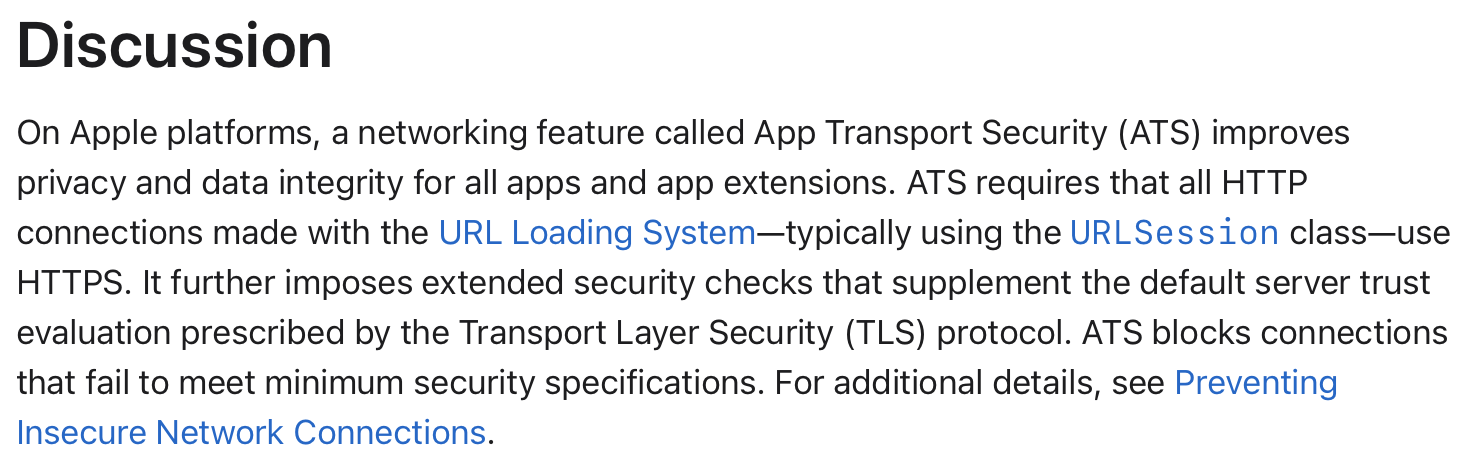
In other words, this problem would not have occurred if https was used. However, there are times when you need to use http for various reasons.
If you need to use http for testing, etc., you can change the settings in info.plist.
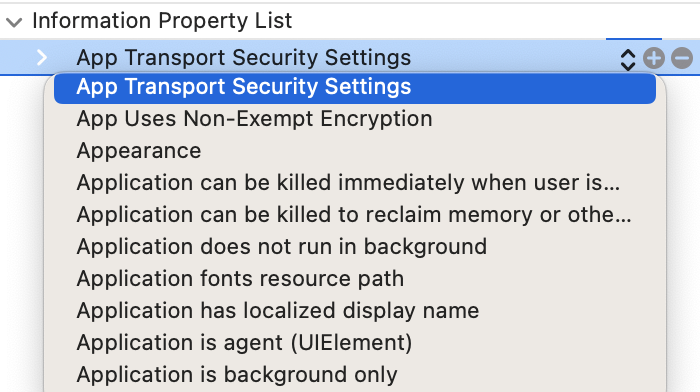
Add App Transport Security Settings.

Then select Allow Arbitrary Loads and set the value to YES. This will allow iOS to use http when communicating.
One thing to note at this time is that you must click “>” to change it to “﹀”. Then it can be set as a sub-property of App Transport Security Settings.
If you only want to allow http access to specific sites (including subdomains), you can do this as follows:
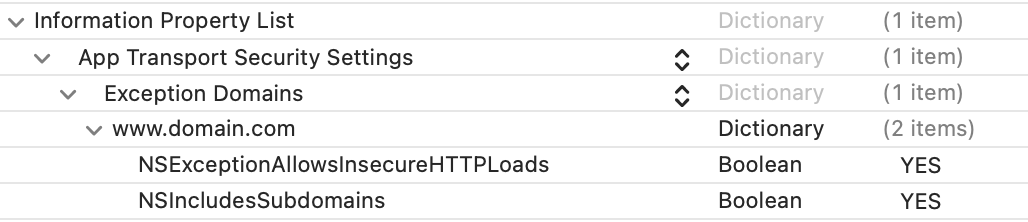
For reference, here's how to set the Exception Domains spec and domain name.
| NSExceptionDomains : Dictionary { <domain-name-string> : Dictionary { NSIncludesSubdomains : Boolean NSExceptionAllowsInsecureHTTPLoads : Boolean NSExceptionMinimumTLSVersion : String NSExceptionRequiresForwardSecrecy : Boolean } } |
Follow these rules when setting a domain name string:
- Use lowercase. Use example.com, not EXAMPLE.COM.
- Don’t include a port number. Use example.com, not example.com:443.
- Don’t use numerical IP addresses. Don’t use 1.2.3.4. For information about how ATS handles IP addresses, see NSAllowsLocalNetworking.
- Don’t include a trailing dot, unless you only want to match a domain string with a trailing dot. For example, example.com. (with a trailing dot) matches “example.com.” but not “example.com”. Similarly, example.com matches “example.com” but not “example.com.”.
- Don’t use wildcard domains. Don’t use *.example.com. Instead, use example.com and set NSIncludesSubdomains to YES.
Additionally, we will introduce how to set up Exception Domains.

If you add an item (click "+") as a child of Exception Domains (click ">"), "New item" will appear.
Enter your desired domain name here.
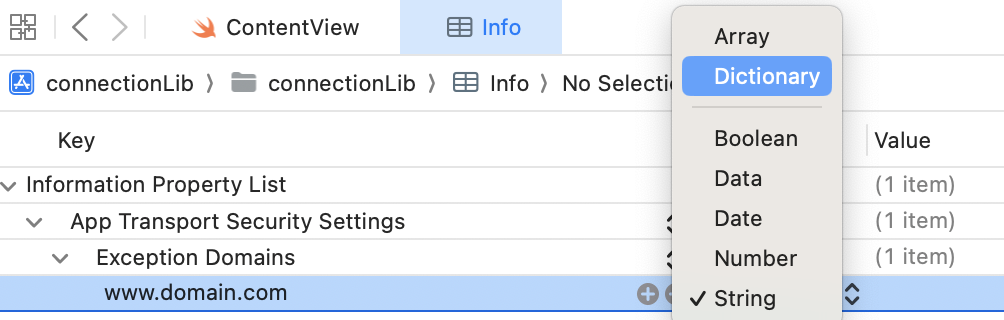
속성을 String -> Dictionary로 변경합니다. 그럼 "www.domain.com" 앞에 ">"가 생깁니다.

If you click an item (click "+") as a child of the added domain name (click ">"), "New item" will appear.
Enter "NSExceptionAllowsInsecureHTTPLoads" here. Then change the property from String -> Boolean and then change the value from NO -> YES.
You can also use the NSIncludesSubdomains option, which allows subdomains, in the same way as above.
Comments
Post a Comment