 |
| Image by Krzysztof Niewolny from Pixabay |
This is how to connect to AWS from a MacBook using SSH.
The command is as follows:
| ssh -i ${pem file name} ${id}@${ip} |
Here id is ubuntu.
Check the IP in the following way.
Log in to AWS. Then click Instance in the left menu (≡).

Click the instance ID.

Public IPv4 is an IP that can be accessed from the outside.
If your pem name is abc.pem and your ip is 1.2.3.4, you can log in to AWS with "ssh -i abc.pem ubuntu@1.2.3.4".
If you cannot log in with the message “WARNING: UNPROTECTED PRIVATE KEY FILE!” as shown below, you need to change the permissions of the pem file.
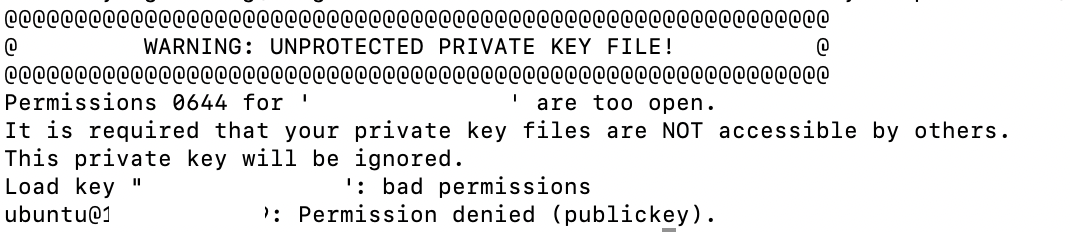
Changing file permissions on a MacBook is done with chmod.
| chmod permission ${filename} |
When the pem file name is abc.pem, change it to "chmod 600 abc.pem".
Then log in again with “ssh -i abc.pem ubuntu@1.2.3.4”.
Comments
Post a Comment