remote: Support for password authentication was removed on August 13, 2021. remote: Please see https://docs.github.com/en/get-started/getting-started-with-git /about-remote-repositories#cloning-with-https-urls for information on currently recommended modes of authentication.

When pushing or cloning to github, "remote: Support for password authentication was removed on August 13, 2021. remote: Please see https://docs.github.com/en/get-started/getting-started-with-git /about-remote-repositories#cloning-with-https-urls for information on currently recommended modes of authentication." and is a solution to the problem of authentication failing.
Solution
Access github(https://github.com) and log in.

Click the image icon at the top right.
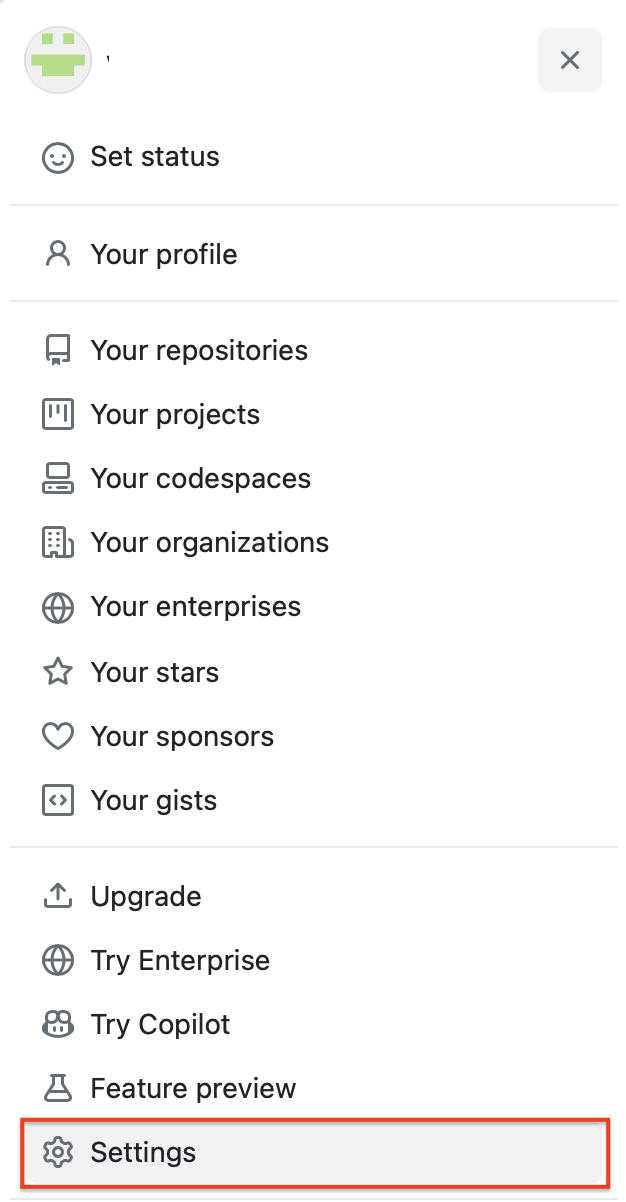
Click Settings.
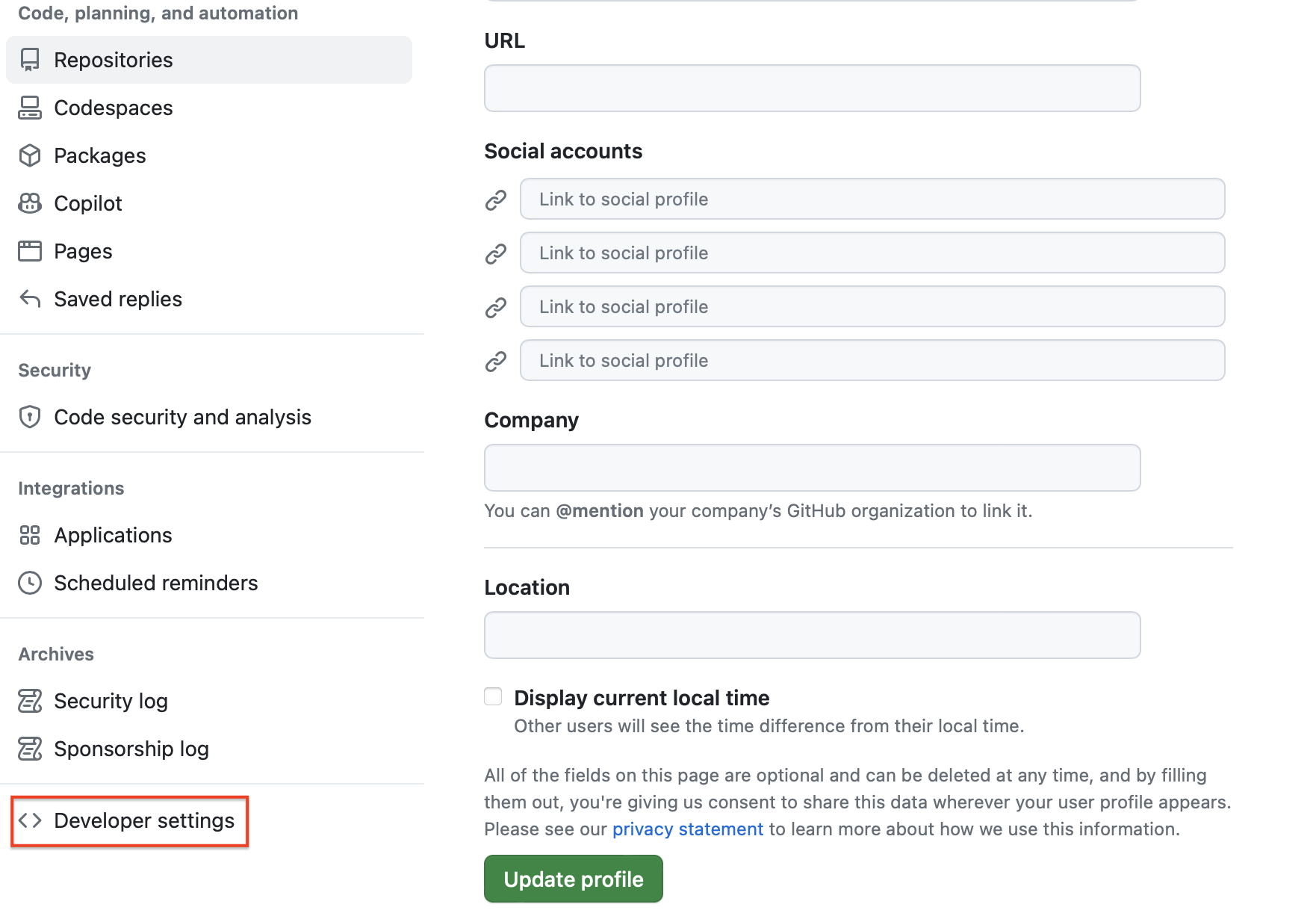
Click “Developer settings” at the bottom left.

Click “Personal access tokens” in the left menu.
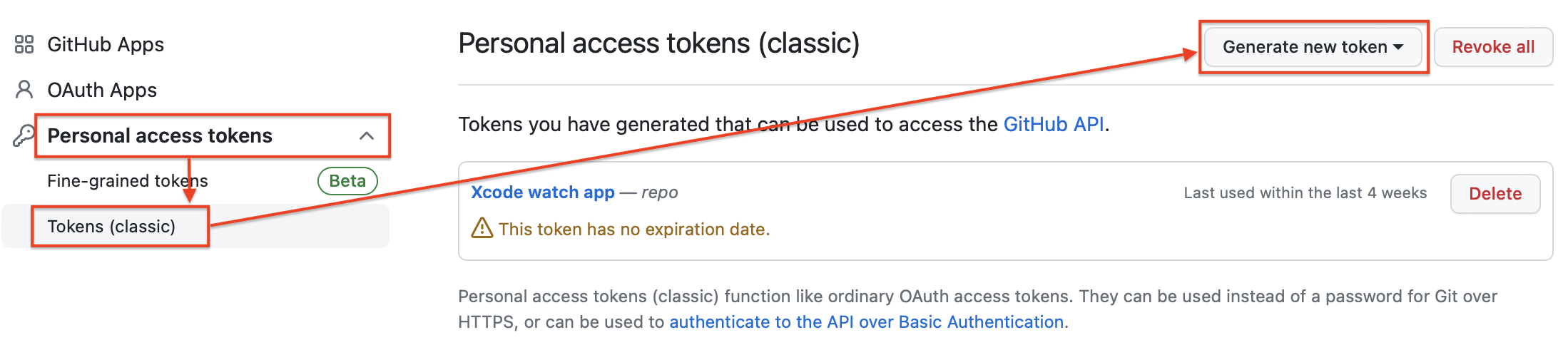
Click Tokens (classic) and click “Generate new token” on the right screen.
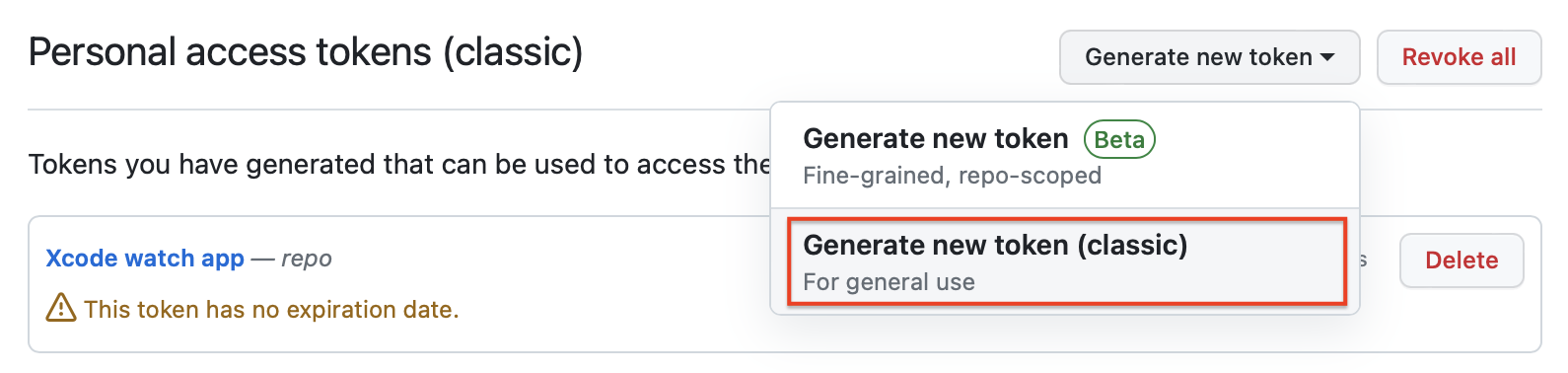
Click “Generate new token (classic)”.
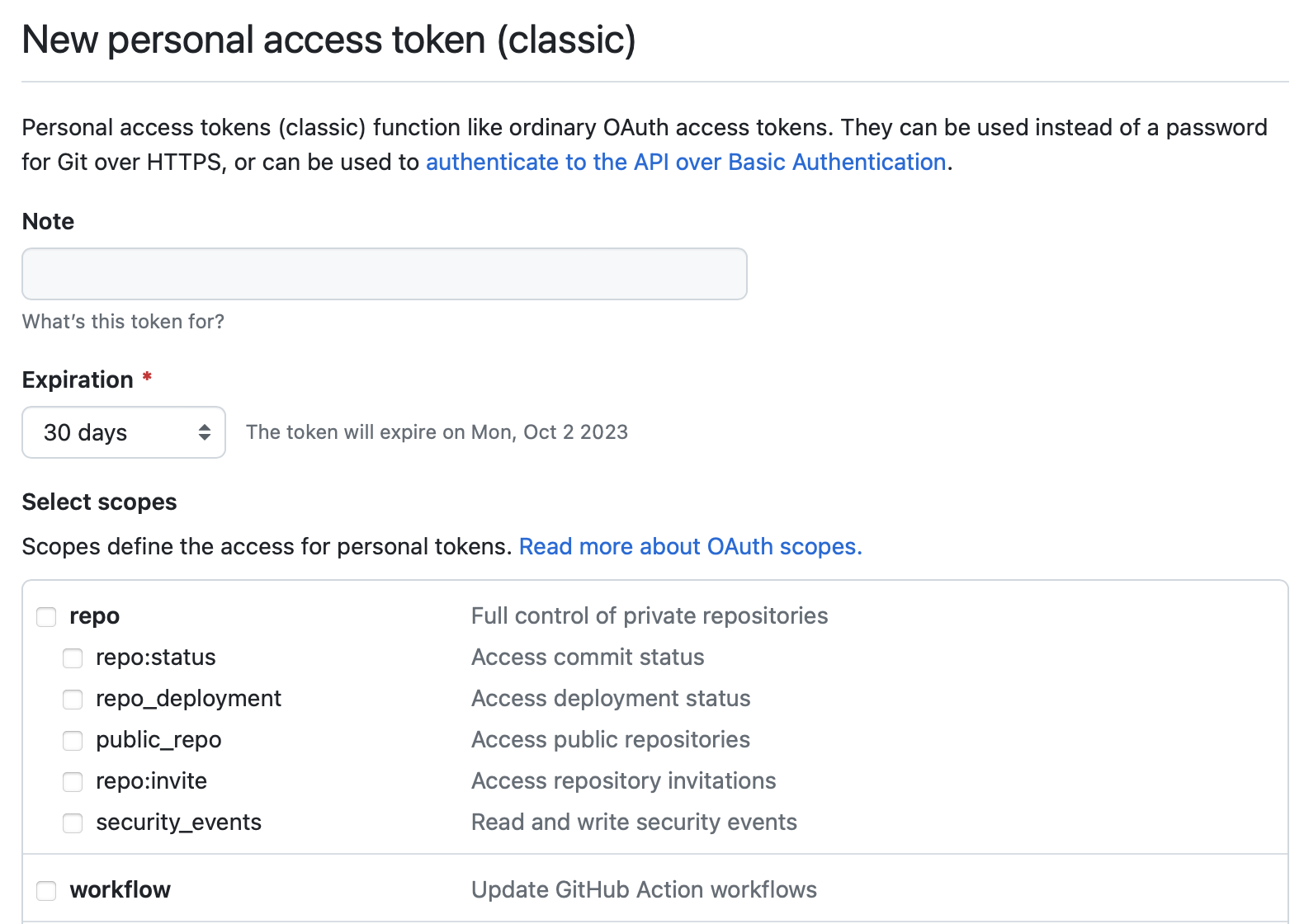
Enter the information required to issue a token and click “Generate token”.
* note: Description of token usage
* Expiration: Token validity period
* Select scopes: Access rights to use as token
For reference, I chose "git auth" for note, "No Expiration" for expiration, and repo and write:packages for select scopes.
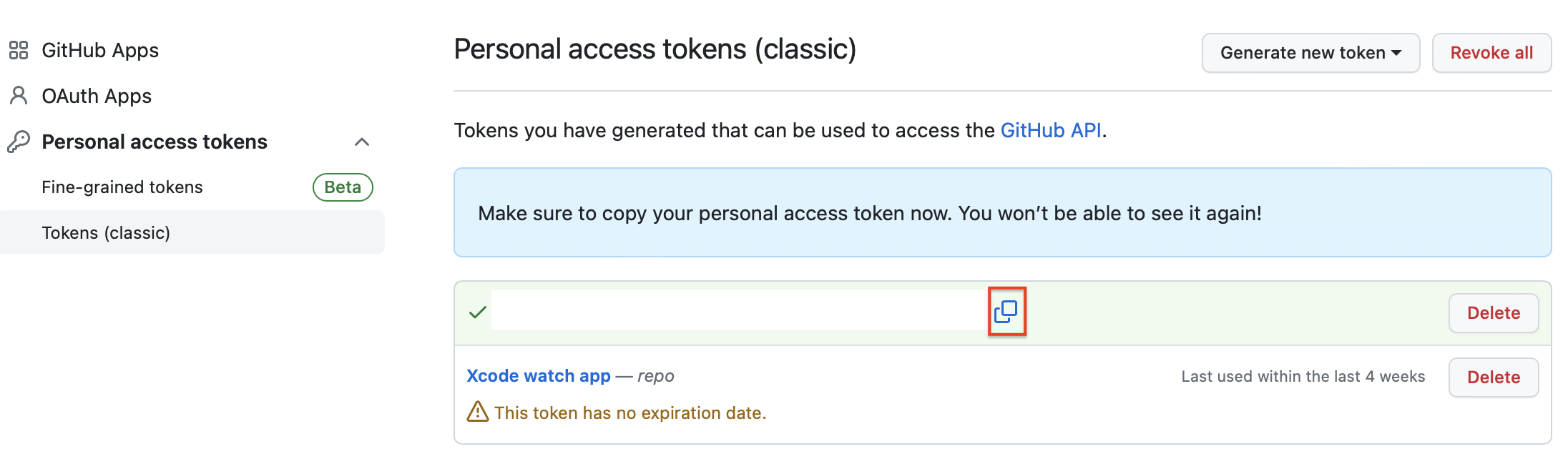
Copy the issued token.
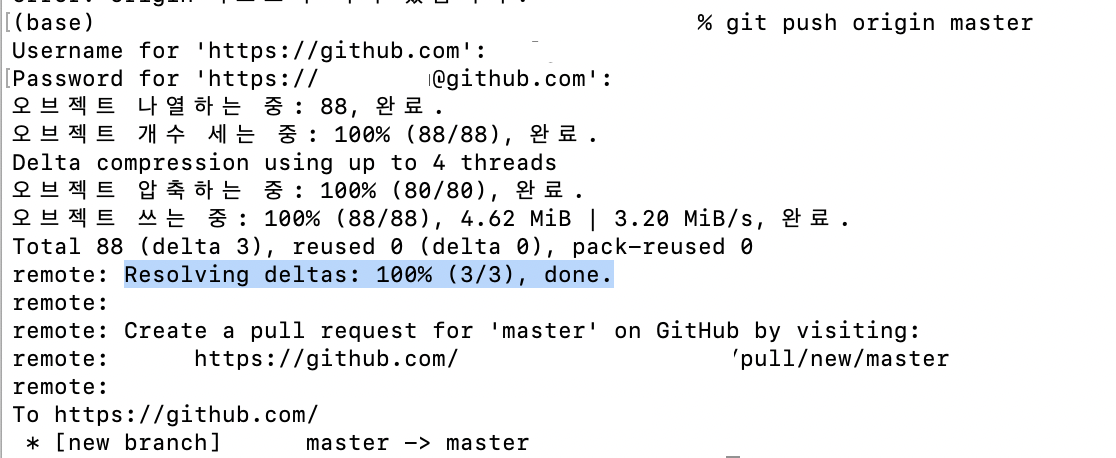
When performing operations such as push or clone, simply enter the token in the password.
Comments
Post a Comment