 |
| Image by Alexander Fox | PlaNet Fox from Pixabay |
The exact error is "http://mirror.g.ucloudbiz.com/centos/7.6.1810/centosplus/x86_64/repodata/repomd.xml: [Errno 14] HTTP Error 404 - Not Found".
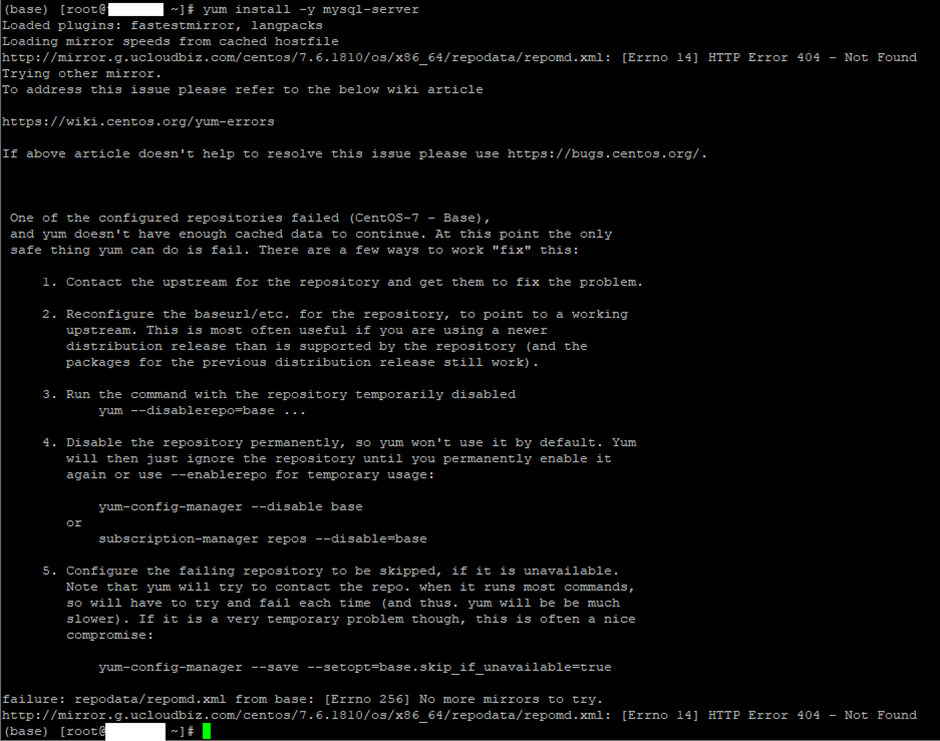
Most problems can be solved with yum clean all and yum update.
If it doesn't work, try changing yum's mirroring path settings as follows:
First, check the yum installation path.
You can find out by saying whereis yum in the terminal.
| whereis yum |

For reference, in centos7, the configuration file related to yum is located under /etc.
And just set the mirroring-related path in /etc/yum.repos.d.
Add the following to /etc/yum.repos.d/CentOS-Base.repo: (If it does not exist, create a new one.)
For reference, the yum mirroring path in Korea is as follows:
| Kakao [base] baseurl=http://mirror.kakao.com/centos/$releasever/os/$basearch/ [updates] baseurl=http://mirror.kakao.com/centos/$releasever/updates/$basearch Naver [base] baseurl=http://mirror.navercorp.com/centos/$releasever/os/$basearch/ [updates] baseurl=http://mirror.navercorp.com/centos/$releasever/updates/$basearch/ CDnetworks [base] baseurl=http://centos.mirror.cdnetworks.com/$releasever/os/$basearch/ [updates] baseurl=http://centos.mirror.cdnetworks.com/$releasever/updates/$basearch |
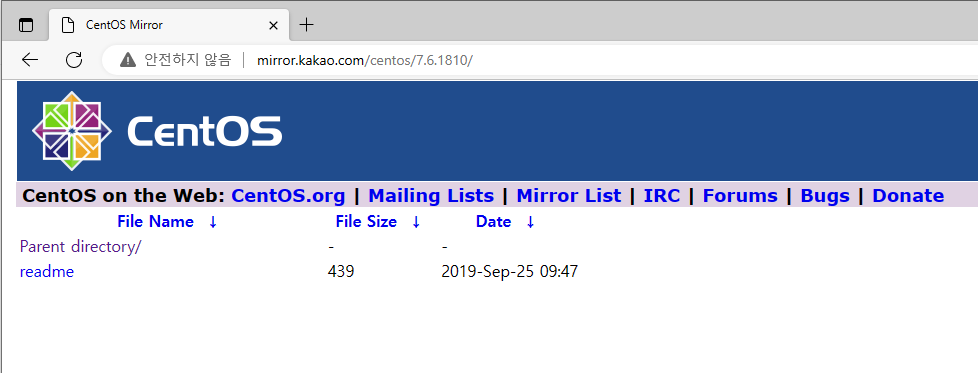
One thing to note is that repomd.xml may not exist for each version. So, it is a good idea to check in your browser as follows.
kakao is centos, releasever is 7.6.1810, there was no subpath.
On the other hand, you can see that CDnetworks exist in different versions.
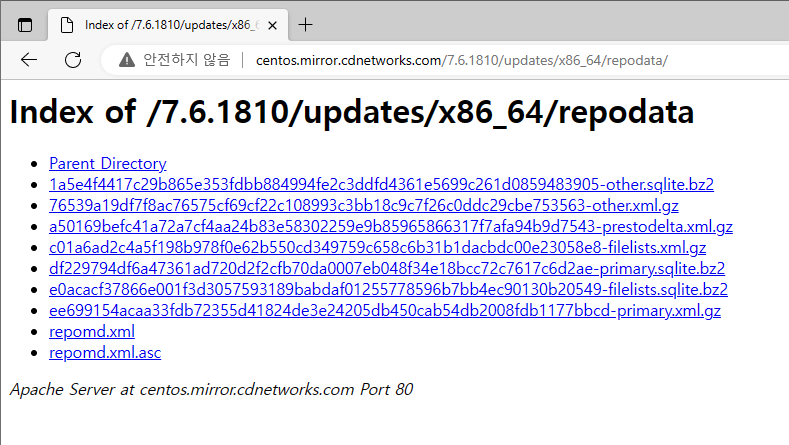
Modify CentOS-Base.repo to match your path.
And finally, change enabled=1enabled=1 in /etc/yum/pluginconf.d/fastestmirror.conf to enabled=0enabled=0.
Comments
Post a Comment